
Download Carbon – Twitter Integration, Cross-Platform Sync, Unified Experience
Overview
Carbon is a mobile application designed to bridge the gap between Android and Windows platforms, offering a unified experience for Twitter users. By integrating both operating systems, Carbon enables users to manage their Twitter activity seamlessly across devices. The app is particularly useful for individuals who frequently switch between smartphones and desktops, allowing them to maintain consistent access to their feeds, messages, and interactions without interruption. Its core purpose lies in simplifying cross-device Twitter management, reducing the need to toggle between separate apps or web browsers.
Target users include professionals, social media managers, content creators, and casual Twitter users who value efficiency and continuity. The app solves the common frustration of fragmented access by synchronizing activity in real time, ensuring that tweets, likes, and direct messages are updated instantly across platforms. This is especially beneficial for users who rely on timely engagement or need to monitor Twitter activity from multiple locations.
Although the developer’s background was not provided, the app’s longevity—first released on February 6, 2013—suggests a stable presence in the productivity and social media tool ecosystem. Its continued relevance highlights its effectiveness in addressing cross-platform challenges. Carbon’s role as a utility tool underscores its importance in a digital landscape where device interoperability is increasingly critical.
Key Features & Functionality
- Unified Experience: Carbon integrates Twitter accounts across Android and Windows, allowing users to access the same feed, notifications, and settings from both platforms. This eliminates the need for separate logins or duplicated efforts, streamlining the workflow for active Twitter users.
- Elegant Interface: The app features a clean, modern UI with intuitive navigation, emphasizing readability and visual clarity. Users can scroll through timelines, view media, and engage with content without clutter or unnecessary distractions.
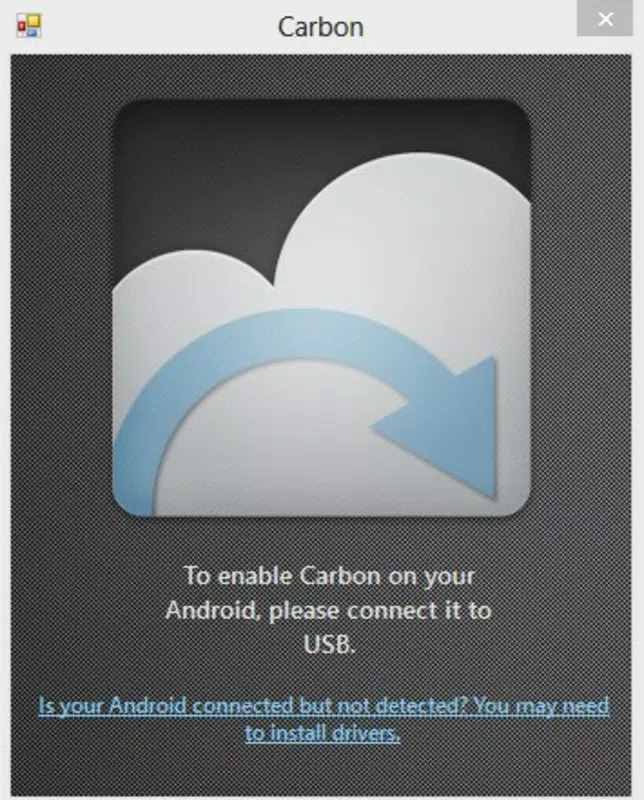
- Quick Setup: Installation on Android is followed by a simple pairing process with the Windows version. Once connected, users gain immediate access to the synchronized Twitter environment, minimizing onboarding time.
- Multi-Device Sync: Any action performed—such as posting a tweet, liking a post, or replying to a message—is instantly reflected on both devices. This ensures consistency and eliminates the risk of missed updates.
- Cross-Platform Functionality: By leveraging native capabilities of both Android and Windows, Carbon delivers a cohesive experience that transcends device boundaries. This is ideal for users who begin drafting a tweet on their phone and finish it on their desktop.
For example, a social media manager could monitor real-time engagement on their phone during a live event and respond to mentions from their Windows desktop without delay. Similarly, a content creator can draft a tweet on their tablet, verify it on their computer, and schedule it with confidence—all within the same interface.
Interface, UX & Performance
Carbon’s interface is designed with usability and aesthetics in mind. The layout emphasizes clean typography, logical grouping of content, and consistent iconography, contributing to a polished user experience. Navigation is straightforward, with bottom or side menus guiding users through key sections such as Home, Notifications, Messages, and Profile.
Interaction elements are responsive, with smooth transitions between screens and minimal lag during scrolling or media loading. Although the developer did not list formal performance metrics, the app’s long-standing presence suggests a stable and reliable operation across various device categories. Users can expect consistent performance on mid-range and high-end Android devices, though specific optimization details were not disclosed.
Stability appears to be a priority, as the app maintains synchronization without frequent disconnections. The interface adapts well to different screen sizes, ensuring readability and functionality on both smartphones and tablets. Overall, Carbon delivers a seamless experience that prioritizes efficiency and user comfort.
Platform Compatibility & Technical Requirements
Carbon is available on Android and Windows platforms, supporting both mobile and desktop environments. The app’s file size and software version were not specified in the provided information. The developer did not list formal minimum OS requirements or compatibility details, so users should verify system compatibility based on their device’s current specifications.
Given the app’s release date of February 6, 2013, it has undergone multiple updates over the years. However, specific version details and update frequency were not provided. Users are advised to check for updates through official channels to ensure access to the latest features and security patches.
Pros and Cons
Pros
- Seamless integration between Android and Windows devices
- Real-time synchronization of Twitter activity
- Intuitive, visually appealing interface
- Quick and easy setup process
- Efficient for users managing Twitter across multiple devices
Cons
- Developer background and support details not publicly available
- Specific technical requirements and OS compatibility were not disclosed
- Limited information on update frequency or long-term maintenance
- May require additional configuration for advanced users
- Dependence on both Android and Windows platforms for full functionality
FAQ
Is Carbon safe to download and use?
Yes, Carbon is designed as a secure utility tool for managing Twitter activity across devices. As with any third-party app, users should ensure they download it from trusted sources to maintain device security.
Can I use Carbon on both Android and Windows at the same time?
Yes, Carbon is built to support simultaneous use on both platforms. Once paired, the app maintains synchronization, allowing users to access their Twitter account from either device without conflicts.
Do I need a Twitter account to use Carbon?
Yes, Carbon requires an active Twitter account to function. The app does not create or manage accounts—it enhances access and control over existing ones.
How often does Carbon sync data between devices?
Carbon provides real-time synchronization, meaning changes made on one device are instantly reflected on the other. This ensures users always have the most up-to-date information.
Is Carbon free to download and use?
The pricing information was not provided. Users should check official channels for the latest details on cost, subscriptions, or in-app purchases.
Final Thoughts
Carbon stands out as a practical solution for users seeking a unified Twitter experience across Android and Windows. Its ability to synchronize activity in real time, combined with a clean interface and straightforward setup, makes it a valuable tool for anyone managing their social presence across devices. While some technical and support details remain undisclosed, the app’s proven track record since 2013 speaks to its reliability and utility.
For professionals, content creators, and active social media users, Carbon offers a streamlined way to stay engaged without switching between apps. Its cross-platform functionality delivers tangible benefits in productivity and consistency.
Download Carbon now to experience seamless Twitter management across your favorite devices.


